
Your Public Investor Profile: Share Your Investment Style with the World
Learn how your public investor profile works, what it shows visitors, and how to share it with others.
Last updated July 5, 2026
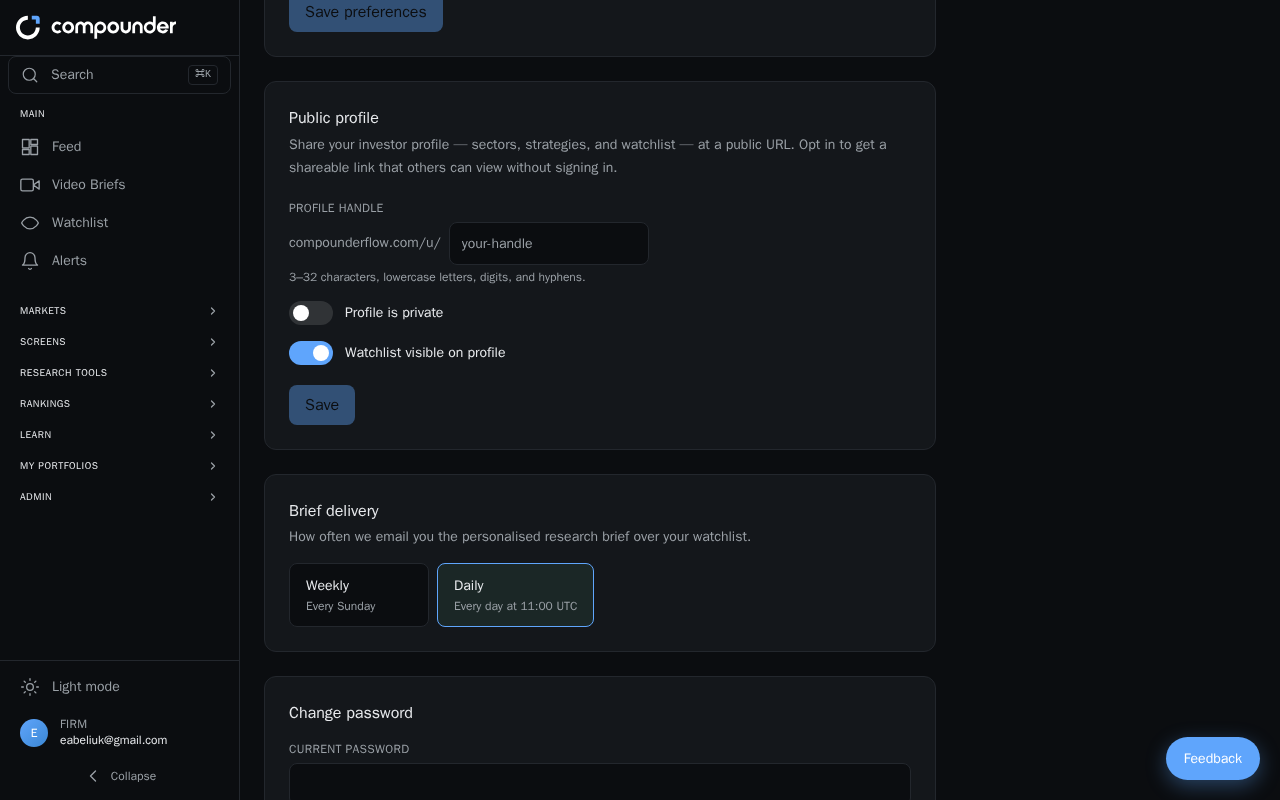
What Is Your Public Investor Profile?
Every Compounderflow account comes with a unique public profile page at compounderflow.com/u/[your-username]. This page gives anyone you share it with a clear snapshot of who you are as an investor — your experience level, risk tolerance, time horizon, areas of interest, and the stocks you're watching.
Your profile URL is generated automatically as soon as your account is created, so there's nothing extra you need to do to activate it.
What Appears on Your Profile
When someone visits your profile, they'll see the following:
- Profile header — your name or username, your handle (shown as @username), and the date you joined.
- Investor badges — three at-a-glance stats: your experience level (such as Beginner, Intermediate, or Advanced), your risk tolerance (such as Conservative, Moderate, or Aggressive), and your time horizon (such as Short-term, Medium-term, or Long-term).
- Sectors of Interest — the industry and sector categories you follow, displayed as colored tags.
- Investment Strategies — the approaches and philosophies that guide your investing decisions.
- Watchlist — the stock ticker symbols you're currently monitoring, along with a total count. Each ticker is clickable, taking visitors directly to that stock's details page.
Setting Up Your Profile Information
Your profile reflects the preferences and details you provide in your account settings. To make sure your profile is complete and represents you accurately, follow these steps:
- Log in to your Compounderflow account.
- Go to your profile or account settings and fill in your experience level, risk tolerance, time horizon, sectors of interest, and investment strategies.
- To add stocks to your watchlist, visit any stock's details page and add it from there. Each stock you add will appear on your public profile automatically.
Sharing Your Profile
Once your profile is set up, sharing it is simple — just copy your profile URL (compounderflow.com/u/[your-username]) and send it to anyone you'd like to share your investment thesis and watchlist with. No additional steps are required.
Viewing Someone Else's Profile
If another investor shares their profile URL with you, you can visit it to explore their experience level, risk appetite, sectors of interest, investment strategies, and watchlist. Click any ticker symbol on their watchlist to jump straight to that stock's details page.
If a profile page shows a message saying the profile is private or doesn't exist, it means the account either hasn't been set up or the user has made it unavailable.
Visitors who don't yet have an account will see an option to create their own profile, as well as a link to view the top stocks by Compounder Score on the leaderboard.