
Tracking Cryptocurrency Prices and Adding Holdings to Your Portfolio
Learn how to monitor live crypto prices, explore detailed stats and charts, and record your holdings in your portfolio — all from the Crypto section.
Last updated July 5, 2026
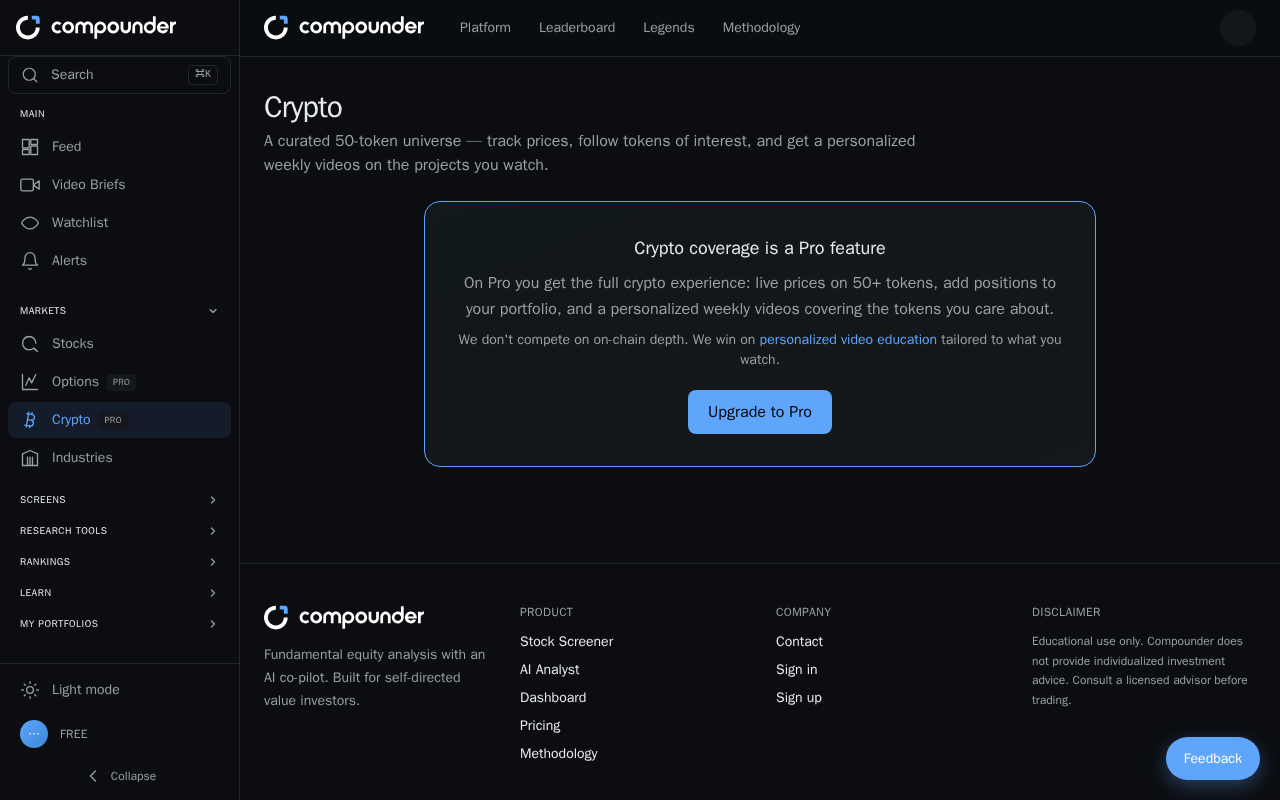
Who Can Access the Crypto Section
The Crypto section is available to Pro plan members only. If you're on a free plan, you'll see an upgrade prompt when you visit the Crypto section. You'll need to upgrade to Pro before you can view prices, explore detail pages, or add positions to your portfolio.
Adding a cryptocurrency position to your portfolio also requires that you have already created at least one portfolio.
Monitoring Live Cryptocurrency Prices
Once you're on a Pro plan, open the Crypto section from your main menu. You'll land on a browsable table showing 50+ cryptocurrencies, each listed with its symbol, full name, current price in USD, and its 24-hour percentage change.
- Green figures mean the asset is up over the past 24 hours.
- Red figures mean the asset is down over the past 24 hours.
Scan the table at a glance to see which cryptocurrencies are gaining or losing on any given day.
Exploring a Cryptocurrency in Detail
Click any token symbol in the table to open its detail page. Here you'll find a rich set of information about that asset:
- Key stats: current price, 24-hour change (color-coded green or red), day high and low, market cap, 24-hour trading volume, circulating supply, and how far the price sits from its all-time high.
- 7-day sparkline: a compact chart showing price movement over the past week (green if the trend is up, red if down).
- Interactive price chart: zoom in or out and explore price history across different time periods.
- Recent news: a feed of the latest articles about that cryptocurrency.
- Weekly video brief: a short narrated news summary, updated every Saturday, with an expandable written script below the video.
To go back to the full list, use the back link at the top of the detail page.
Adding a Cryptocurrency to Your Watchlist
On any cryptocurrency's detail page, there is a watchlist toggle button. Click it once to add the asset to your watchlist; click it again to remove it. This lets you keep an eye on the cryptos you care about most without having to search the table each time.
Recording Your Holdings in a Portfolio
To track the value of crypto you own, you can add a position directly from a cryptocurrency's detail page. Make sure you already have at least one portfolio set up before following these steps.
- Go to the Crypto section from the main menu and click the symbol of the cryptocurrency you hold.
- On the detail page, click the Add to portfolio button.
- If you have more than one portfolio, select the right one from the dropdown menu that appears.
- Enter the amount of that cryptocurrency you own.
- Enter your cost per token — the price you paid per unit when you bought it.
- Click Add to save the position to your portfolio.
Once saved, your portfolio will reflect your crypto holding alongside any other positions you've recorded.