
Signing In to Your Account
Learn how to sign in with Google or your email and password, and what to do if you run into trouble.
Last updated July 6, 2026
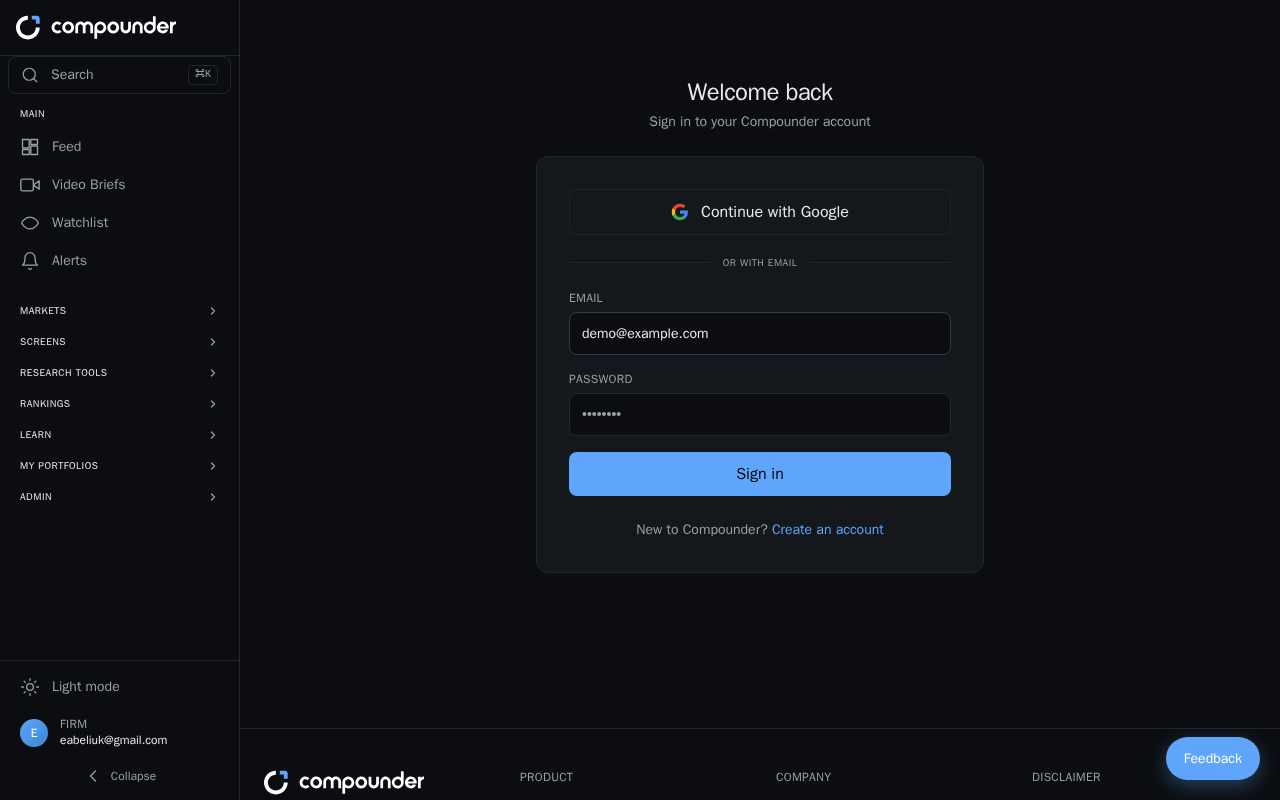
Getting to the Sign In Page
If you aren't already signed in, the sign in page appears automatically when you visit the platform. From here you have two ways to access your account.
Option 1: Sign In with Google
If you registered with your Google account, click the Google sign in button on the sign in page. You'll be taken through Google's standard sign in flow and then brought straight to your dashboard — no password required.
Option 2: Sign In with Email and Password
- Enter the email address associated with your account in the email field.
- Enter your password in the password field.
- Click the Sign in button.
After a successful sign in, you'll land on your dashboard.
Troubleshooting Sign In Errors
If your credentials don't match what's on file, an error message will appear directly on the form. Double-check that your email address is spelled correctly and that your password is exact — passwords are case-sensitive. Try your Google sign in option as an alternative if you're unsure which method you used when you first registered.
Don't Have an Account Yet?
If you're new to the platform, click the Create an account link on the sign in page to be taken to the sign-up page, where you can register with either a Google account or an email address and password.