
Managing Your Subscription Plan
Learn how to view, upgrade, downgrade, and manage your subscription plan and billing settings.
Last updated July 6, 2026
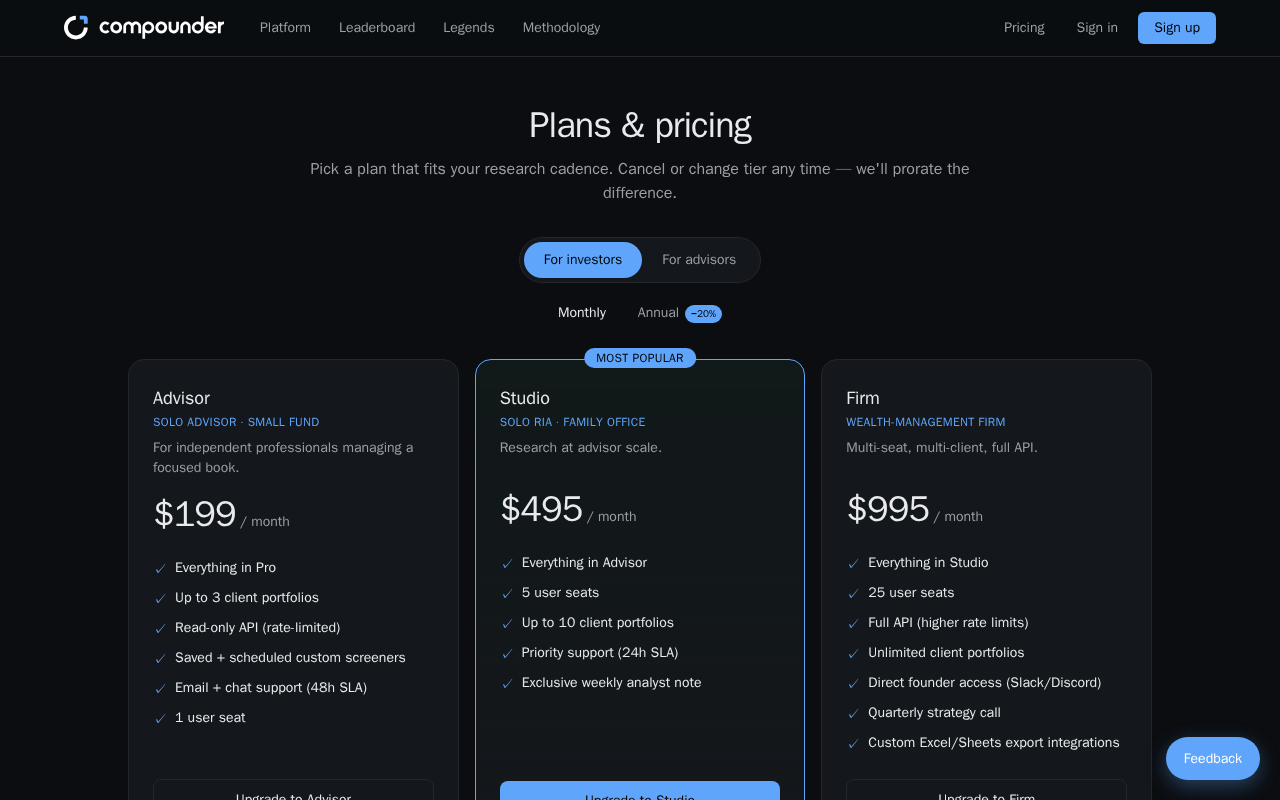
Overview
The Plans & Pricing page gives you a complete view of all available subscription tiers, their features, and pricing. From here you can switch plans, change your billing cycle, and manage payment details — all in one place.
Opening Plans & Pricing
To get started, go to your account menu or Settings and select Plans & Pricing. At the top of the page, a badge shows your current plan so you always know where you stand.
Choosing Your Audience and Billing Cycle
Before comparing plans, make sure you're viewing the right set of options for your needs:
- Audience toggle: Choose For investors to see the Free, Investor, and Pro plans, or For advisors to see the Advisor, Studio, and Firm plans.
- Billing cycle toggle: Choose Monthly to pay each month, or Annual to pay once per year and receive a 20% discount.
Switching these toggles instantly updates the plan cards and pricing shown on the page.
Comparing Plans
Each plan card displays:
- The plan name and a short description
- The price per month (or annual total if you selected annual billing)
- A full feature list with checkmarks indicating what's included
- An action button to change your plan
Plans marked Most popular are highlighted to help you choose. All prices are shown in USD.
Upgrading Your Plan
- Find the plan you'd like to move to on the plan cards.
- Click the action button on that plan's card.
- You'll be directed to checkout to complete your upgrade.
Charges are prorated automatically, so you only pay for the portion of the billing period remaining when you switch.
Downgrading Your Plan
- Find the lower-tier plan you'd like to switch to.
- Click the action button on that plan's card.
- You'll be taken to the customer portal to complete the downgrade.
As with upgrades, any price difference is prorated automatically.
If you're already on a plan, its button will be disabled and display Current plan — you cannot select it again.
Managing Billing and Payment Details
If you're on a paid subscription, a Manage subscription section appears at the bottom of the Plans & Pricing page. Click the button there to open the customer portal, where you can:
- Update your payment method
- Change your billing email address
- View your billing history
- Cancel your subscription
You can change or cancel your plan at any time, and any adjustments are handled with automatic proration.