
Getting Started with Academy: Your Investing Video Library
Learn investing concepts at your own pace with free bite-sized video lessons organized by topic.
Last updated July 6, 2026
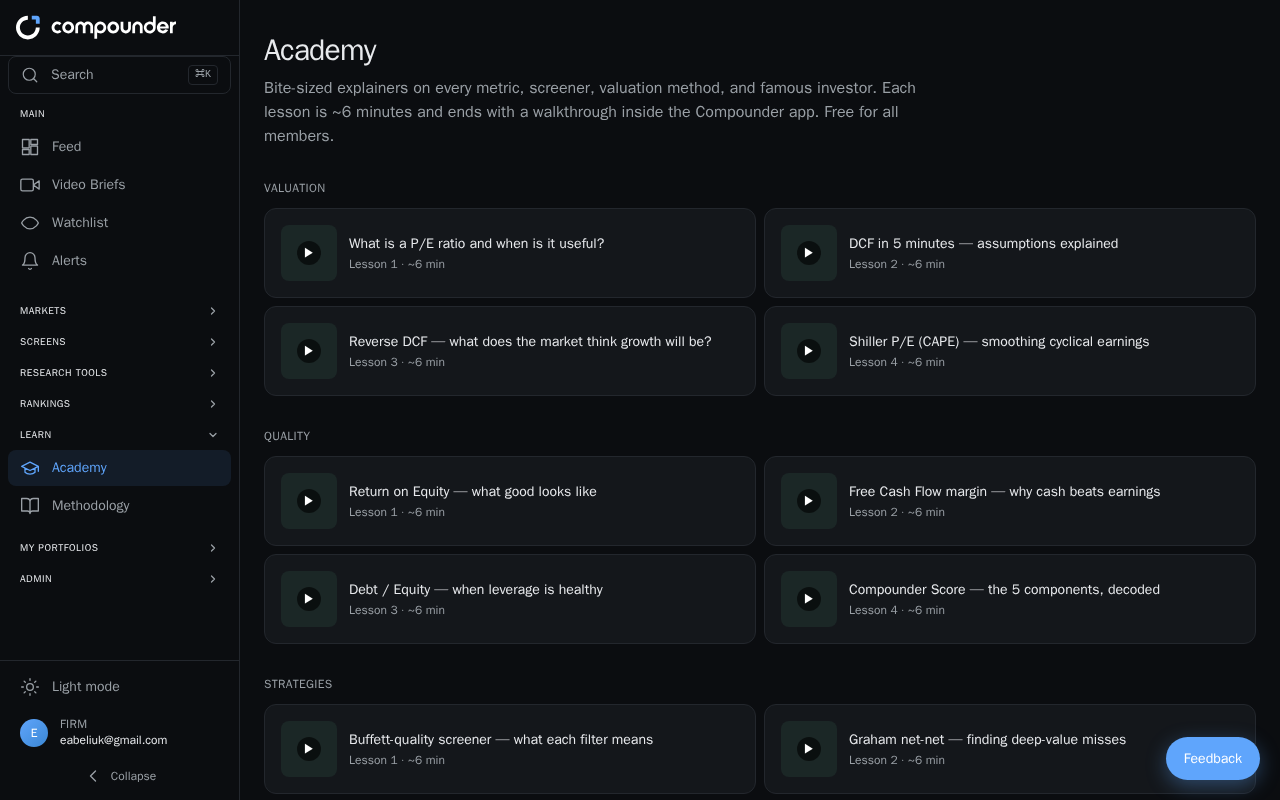
What Is Academy?
Academy is a free video learning library available to all members. It covers a wide range of investing topics — from understanding valuation methods and portfolio theory to studying the strategies of famous investors. Every lesson is designed to be approachable and runs about six minutes, so you can learn at your own pace without a big time commitment.
Finding Your Way Around Academy
To open Academy, click Academy in the main navigation. The page is organized into clearly labeled course sections, each containing several lessons:
- Valuation
- Quality
- Strategies
- Legends (famous investors and their approaches)
- Options Trading
- Portfolio Theory
You'll also find a Signals section with concept explainers on topics like 13F filings, insider trades, and score changes.
Each section contains between 4 and 14 lessons, so there's plenty to explore whether you're a complete beginner or looking to sharpen a specific skill.
Choosing and Watching a Lesson
Lessons appear as clickable tiles on the Academy page. Each tile shows a thumbnail image, the lesson title, its number within the section, and its duration (around six minutes).
- Browse the sections and find a lesson that interests you.
- Click the lesson tile to open it.
- A modal window appears with the full lesson title, section number, and an embedded video player. Many lessons also include an app walkthrough so you can see the concept in action inside the product.
- Watch the video at your own pace.
- When you're finished, close the modal by clicking the X button, clicking anywhere outside the modal, or pressing Escape on your keyboard.
Tips for Getting the Most Out of Academy
- Follow a section from start to finish — lessons within each section are numbered and build on one another, so watching them in order can help concepts click faster.
- Use the Signals section for quick explainers when you encounter an unfamiliar term, like insider trades or 13F filings, while browsing the rest of the app.
- Revisit lessons anytime — there's no limit on how many times you can watch a video, so feel free to come back for a refresher.