
Creating Your Compounder Account and First-Time Setup
Sign up for free in about 30 seconds and personalize your investment experience with the guided onboarding flow.
Last updated July 6, 2026
Overview
Getting started with Compounder takes less than a minute. You'll create a free account — no credit card required — and then walk through a short onboarding flow to tailor the experience to your investing style.
Step 1: Create Your Account
Go to the Compounder sign-up page. You'll see a centered form titled Create your account, with a note confirming that signup is free and takes about 30 seconds.
If you arrived through a referral link, look for a badge near the top of the form — this confirms your referral code has been applied automatically.
You have two ways to sign up:
- Sign up with Google: Click the Sign in with Google button and follow Google's standard authentication steps. Once complete, you'll be taken directly to onboarding.
- Sign up with email: Enter your name (optional — your first name is fine), your email address, and a password of at least 8 characters. Then click Sign up.
If something goes wrong — for example, if the email address is already in use — a red message will appear explaining the issue. Fix the indicated field and try again.
If you already have an account, click the Sign in link at the bottom of the form to go to the login page instead.
Step 2: Complete the Onboarding Flow
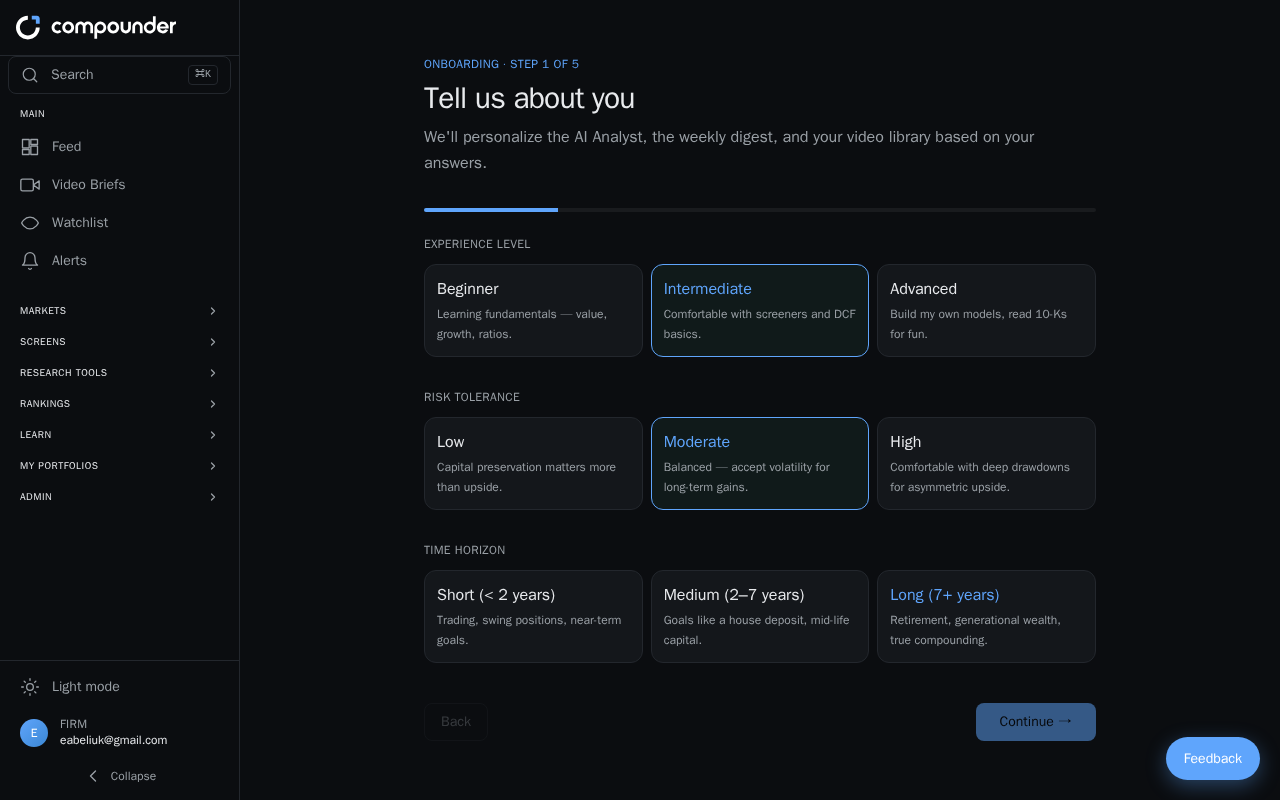
After your account is created, the onboarding flow launches automatically. It walks you through five steps to personalize your Compounder experience. You can complete them in any order.
Step 1 — Your Investment Profile
Choose your investment experience level, risk tolerance, and time horizon. These help Compounder surface content and insights that match where you are as an investor.
Step 2 — Sectors
Pick the sectors you want to follow. You can select as many as you like. Any sectors you choose here will be auto-followed when you finish onboarding.
Step 3 — Investment Strategies
Select the investment strategies that best match your style. This helps Compounder highlight relevant opportunities and analysis for you.
Step 4 — Video Topics (Pro plan only)
This step is only available if you are on a Pro plan or higher. If it applies to you, choose the topics you'd like to receive personalized weekly videos about.
Step 5 — Review and Digest Frequency
Review your chosen sectors, and optionally add a single stock ticker you want to watch right away. Then choose how often you'd like to receive your digest:
- Weekly — available on all plans.
- Daily — requires a Pro plan or higher.
Step 3: Enter Compounder
When you're happy with your selections, click Finish & enter Compounder. Your preferences are saved, your chosen sectors are followed, and your digest is scheduled at the frequency you selected. You'll land on your Watchlist/Following page, ready to start exploring.
You can revisit and update any of these preferences at any time through your account settings.